The Requirement
Create a flow within Power Automate to automatically retweet posts from a specific Twitter account. Only original posts should be retweeted—i.e. exclude posts that are retweets.
The Solution
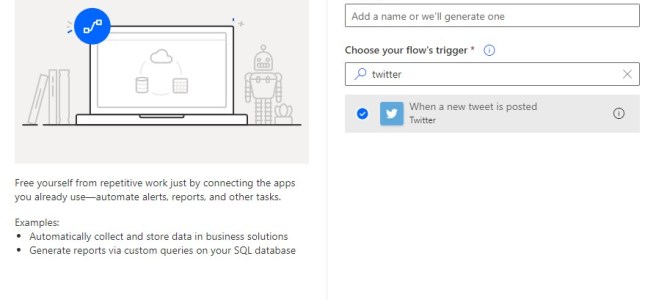
1. Create a new Automated flow. Choose Twitter as the flow’s trigger.

2. Specify the search term for the account you wish to retweet—e.g. from:@username

3. Add a Condition action and configure as follows:
- Choose a value: Select OriginalTweet from the section When a new tweet is posted.
- is equal to
- Enter the expression null

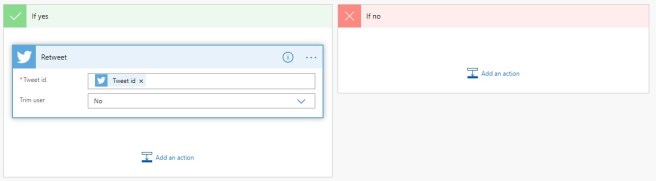
4. Add a Retweet action to the If yes branch of the Condition and configure as follows:
- Tweet id: Select Tweet id from the section When a new tweet is posted.
That’s it friends! Happy retweeting!!

 Nicole Vesser